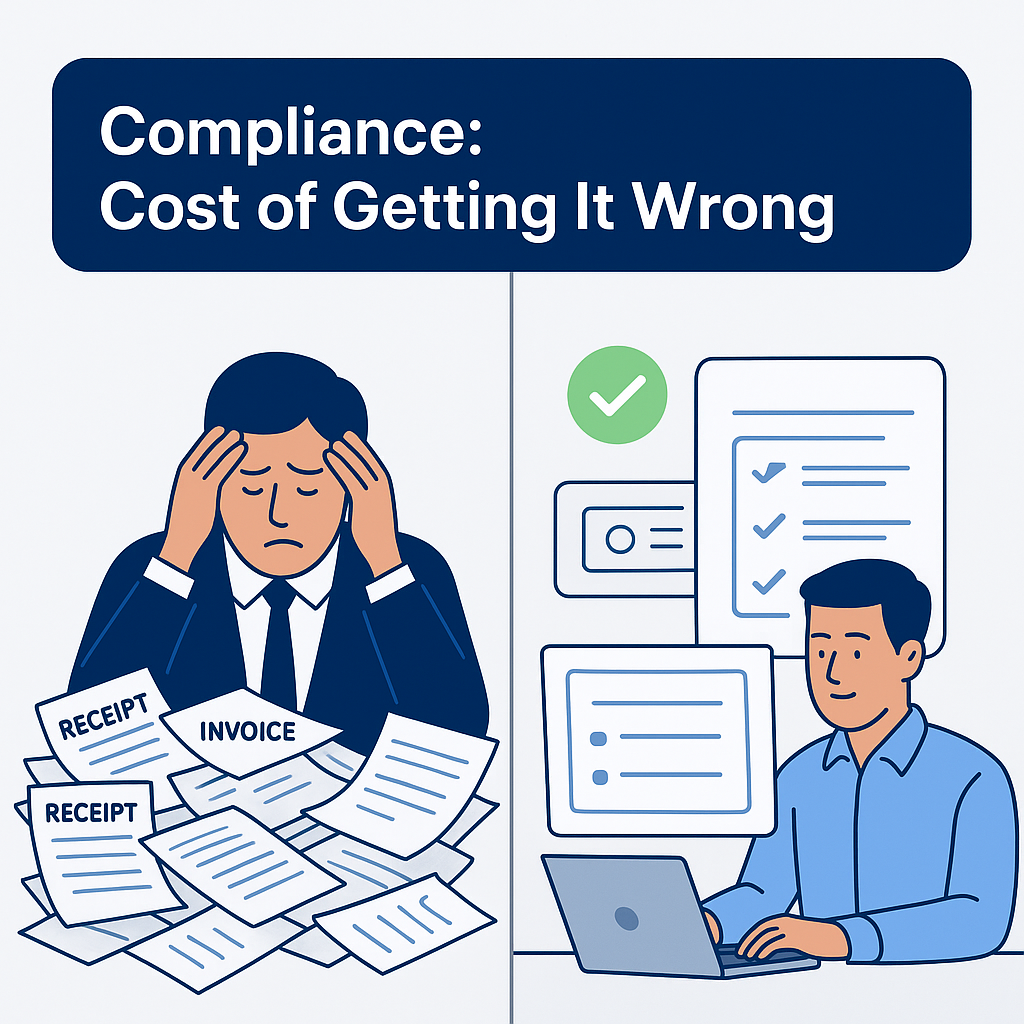
Expense Tracking Apps vs Accounting Software Expense Tracking
Choosing between an only Expenses tracking app and a full accounting software expense tracking solution depends on your business needs and volume.
Only expense tracking apps focus on capturing and categorising expenses quickly. They often include:
- Receipt scanning
- Bank account sync
- Simple dashboards
- Notifications for upcoming bills
These apps suit small businesses or sole traders managing a low volume of transactions. For example, a freelancer might save 2-3 hours weekly by automating receipt capture and expense categorisation, compared to manual entry.
In contrast, accounting software expense tracking tools integrate expenses into full bookkeeping workflows. They offer:
- VAT tracking and HMRC compliance
- Auto-matching with invoices and payments
- Real-time cash flow updates
- Audit trail maintenance
This is vital for scaling SMEs processing 100+ invoices monthly, cutting errors like duplicate entries by over 50% and improving monthly close speed.
| Feature | Only Expense Tracking App | Accounting Software Expense Tracking |
|---|---|---|
| Receipt Scanning | Yes | Yes |
| Bank Sync | Basic | Advanced (multiple accounts) |
| VAT & HMRC Compliance | No | Yes |
| Integration with Invoicing | Limited | Full |
| Error Reduction | Moderate | High |
Decision aid: If you process fewer than 50 expenses monthly and need quick insights, an only expense tracking app works well. For higher volumes or tighter compliance, choose accounting software expense tracking.
Why Choose Full Accounting Software Over an Only Expenses Tracking App?
An only expenses tracking app helps log daily spending but falls short as a complete solution for business finances. Small businesses using just an expense tracker app often face these risks:
- Manual data re-entry into accounting systems
- Missing VAT numbers or incomplete receipts
- No integration with bank accounts or invoicing
- Poor audit trails and compliance gaps
Accounting software with expense tracking features goes beyond logging expenses. It automates workflows from receipt capture to categorisation and accounting posting. For example, shifting from a standalone tracker app to accounting software with expense tracking can:
- Cut bookkeeping time by up to 30% through automation
- Reduce errors caused by manual entry or duplicate invoices
- Provide real-time cash flow dashboards syncing bank accounts and expenses
- Simplify HMRC VAT compliance with automated tax code application
| Feature | Only Expenses Tracking App | Accounting Software with Expense Tracking |
|---|---|---|
| Receipt scanning | Basic, manual upload | Automated capture and categorisation |
| Bank account sync | Usually none | Real-time sync and reconciliation |
| VAT compliance | Not supported | Automated VAT handling |
| Audit trail | Limited, manual tracking | Complete and secure digital records |
If your business processes over 50 invoices or expenses monthly, an integrated accounting solution with expense tracking becomes essential to improve control, accuracy, and compliance. This clear ROI justifies the switch from a simple tracker to comprehensive financial software.
What Are Expense Tracking Apps and How Do They Work?
Expense tracking apps, including the only Expenses tracking app you might choose, are designed to simplify how businesses and individuals record and manage spending. These apps let you capture expenses quickly—via bank feeds, receipt scans, or manual entry—and automatically categorise them by type.
Accounting software expense tracking improves this process by syncing with your accounting platform (like QuickBooks or Xero), reducing manual bookkeeping tasks and lowering error risks. For example, an email receipt is scanned using OCR technology, categorised as a business expense, then synced directly into your ledger. This streamlines workflows and ensures accurate VAT reporting required by HMRC.
Consider this real-world comparison:
| Manual Expense Tracking | Automated Expense Tracking |
|---|---|
| Enter receipts manually into spreadsheets | Scan receipts and auto-categorise expenses |
| High chance of data entry errors | Reduces errors by 70% through automation |
| Time-consuming reconciliation | Syncs with accounting software in real-time |
| Poor audit trails and missing VAT details | Maintains clear audit trail compliant with HMRC |
If you process over 50 expenses monthly, switching to an expense tracking app can save your finance team hours weekly and improve accuracy for tax compliance. This also frees you from firefighting low-value admin tasks, allowing focus on cash flow and budgeting insights.
Problems With Using Only Expense Tracking Apps for UK SMEs
Relying on only an expenses tracking app limits your business beyond basic logging. These apps often require manual data transfer to accounting software, increasing admin time and errors. For example, copying receipts from an expense tracker to bookkeeping tools can lead to missed VAT entries or duplicate data.
Key issues include:
- Limited automation beyond simple expense logging
- Manual syncing with VAT calculations and HMRC reporting
- Risk of missed tax deductions due to incomplete categorization
- Poor real-time cash flow visibility and basic dashboards
- Time wasted reconciling records across multiple platforms
Consider this: if you process over 50 business expenses monthly, manual transfers can add several hours of work per week. Also, lacking integration raises risk of poor audit trails and compliance errors.
| Aspect | Only Expense Tracking App | Integrated Accounting Software + Expense Tracking |
|---|---|---|
| Automation | Minimal, manual export/import | Seamless sync, automatic categorization |
| VAT Compliance | Manual checks, high risk of errors | Automatic VAT calculation and reporting |
| Cash Flow Visibility | Limited real-time insight | Comprehensive dashboards updated continuously |
| Time Saved | Low; manual reconciliations | Hours saved weekly through automation |
For UK SMEs, supplementing an expense tracker app with accounting software reduces errors, streamlines bookkeeping, and improves financial control.
Scenarios / Examples: Before vs After Automation
| Aspect | Only Expense Tracking App | Accounting Software with Expense Tracking |
|---|---|---|
| Data Entry | Manual input, prone to errors | Automated bank feeds, OCR, API integrations |
| VAT Calculation | Manual calculations, risk of mistakes | Automatic VAT coding with HMRC-compliant reports |
| Expense Visibility | Basic lists, limited insights | Real-time dashboards with cash flow insights |
| Reporting | Limited export options | Comprehensive P&L and balance sheet updates |
| Time Spent on Finance | Hours weekly on manual tasks | Reduced to minutes, freeing team for strategic work |
If you run a small business processing fewer than 50 receipts monthly, an only expenses tracking app might suffice. But if you handle larger volumes, need accurate VAT coding, or want live cash flow monitoring, accounting software with expense tracking becomes essential. For example, one ecommerce SME cut bookkeeping time by 70% after switching to Xero’s integrated expense feature, automating receipt sync and VAT reporting.
Choosing software that syncs bank accounts, offers receipt scanning, and supports real-time expense tracking can significantly reduce errors and improve compliance. When budget and accuracy matter, upgrading beyond an only expenses tracking app pays off in saved time and reduced risk.
Who Suits Only Expense Tracking Apps and Who Needs Full Accounting Software?
Choosing between an only expenses tracking app and full accounting software depends mainly on your business size and financial complexity.
When an Only Expenses Tracking App Works Best
- Ideal for sole traders or freelancers with simple expense flows
- Useful for quick separation of personal and business spend
- Suitable for small startups with low transaction volumes and no VAT filing needs
- Offers straightforward receipt scanning and easy categorisation
- Examples: simple mileage tracking, ad-hoc purchases, or bank syncing without payroll or invoicing demands
When Full Accounting Software Is Necessary
- Required by SMEs handling VAT returns, payroll, and payments (typically 50+ transactions monthly)
- Provides comprehensive audit trails that meet HMRC compliance
- Supports automated invoice processing, expense reports, and cash flow dashboards
- Integrates with bank accounts, accounting platforms, and approval workflows
- Enables finance teams to reduce time spent on manual data entry and minimise errors
| Feature | Only Expense Tracker | Full Accounting Software |
|---|---|---|
| Transaction Volume | Low (under 50/month) | High (50+) |
| VAT & Payroll | No | Yes |
| Audit Trail | Basic | Robust |
| Integrations | Limited | Extensive |
| Time Saved | Modest | Significant |
If you process over 50 invoices or need VAT support, an accounting software expense tracking solution is a better fit. Otherwise, a dedicated expense tracker app offers ease and speed for straightforward spend management.
Step-by-Step: How to Implement Expense Tracking and Automation in Your Business
Choosing the right only Expenses tracking app depends on your business size and transaction volume. Here’s how to start:
Assess your monthly transactions and compliance needs.
If you process 100+ business expenses monthly, integrated accounting software with expense tracking offers better automation than a standalone tracker.Decide between standalone expense tracker app or accounting software expense tracking.
- Standalone apps (e.g., Expensify) suit small volumes and simple categorisation.
- Accounting software (e.g., QuickBooks) connects bank accounts and automates VAT reconciliation.
Setup bank feeds and sync your app/software.
Real-time syncing reduces manual entry errors and speeds up processing.Train staff on capturing receipts (photo/email) and categorising expenses.
Clear workflows prevent duplicate entries and missing VAT numbers, aiding HMRC compliance.Automate reconciliation and regular reviews.
Schedule weekly reporting to catch anomalies fast.Use workflow automation tools (like Zapier) to link your tracker app with finance systems.
This reduces time spent on low-value admin work by up to 40%.
If you manage multiple bank accounts or scaling volumes, integrated solutions with automation reduce headaches and improve audit trails, safeguarding accuracy and cost efficiency.
Top Tools & Integrations for UK SMEs
Choosing the right only Expenses tracking app can streamline your bookkeeping and improve accuracy.
Here’s a comparison of popular tools for UK SMEs handling expense tracking alongside accounting software expense tracking needs:
| Tool | Key Features | UK SME Benefits | Integration |
|---|---|---|---|
| QuickBooks Online | Automated expense capture, HMRC-ready VAT reports | Saves hours weekly by syncing bank accounts and receipts | Wide accounting & payroll systems |
| Xero | Bank feeds, receipt scanning, multi-currency support | Real-time cash flow visibility, reduces manual entry errors | Compatible with numerous expense tracker apps |
| Expensify | Expense reports, travel management, receipt scanning | Ideal for scaling teams needing detailed spend insights | Seamless export to accounting software |
| Google Drive & Email | Central storage, forward receipts to inbox | Simplifies receipt management but lacks automation | Basic integration via Zapier or n8n |
If you process 100+ invoices or expenses monthly, an automation pipeline like Zapier or Make can sync data across apps, reduce errors, and deliver instant notifications.
Look for apps that:
- Categorise expenses automatically
- Provide real-time spend dashboards
- Integrate tightly with your main accounting software
This approach cuts admin time by up to 50% compared to manual expense entry and flagging missing VAT numbers before submission.
Why AccountsPro.ai Excels Beyond Simple Expense Tracking Apps
Choosing the right tool for managing business expenses is critical. An only Expenses tracking app often falls short in handling complex accounting needs, especially for UK SMEs. AccountsPro.ai offers more than basic expense tracking by automating critical workflows and integrating deeply with leading accounting software.
Key advantages include:
- Up to 80% reduction in manual data entry with AI-driven invoice and receipt processing, tailored for UK VAT and compliance standards.
- Seamless syncing with QuickBooks, Xero, and other SME favourites, eliminating duplicate entries and audit risks.
- Real-time finance dashboards that enhance cash flow forecasting and financial visibility beyond simple expense categorization.
- Proven results: SMEs report saving up to 10 hours weekly and reducing errors linked to manual expense tracking.
| Feature | Only Expense Tracking App | AccountsPro.ai |
|---|---|---|
| Manual Data Entry | High, often manual input | Automated with AI scan and validation |
| Invoice Processing | Limited or no automation | Accurate, UK VAT-compliant AI processing |
| Integration | Basic or none | Deep sync with QuickBooks, Xero |
| Financial Insights | Basic expense categories | Real-time reports & cash flow forecasting |
If you process over 50 invoices monthly or require audit-ready records, AccountsPro.ai outperforms typical accounting software expense tracking apps by streamlining workflows and reducing costly errors.
FAQs on Only Expenses Tracking App vs Accounting Software Expense Tracking
If you’re considering an only expenses tracking app for your small business, remember they excel at simple spend logging but lack key accounting controls needed in the UK. For example:
- Most expense trackers don’t integrate deeply with accounting software, limiting VAT and HMRC compliance automation.
- They often miss receipt scanning, bank sync, and automated categorisation features essential to reduce manual work.
- An only expenses tracking app is best if your business processes fewer than 50 transactions monthly without complex reporting needs.
By contrast, accounting software expense tracking offers:
- Real-time syncing with your bank accounts and ledgers
- Automated VAT calculations and HMRC-compliant records
- Integrated dashboards providing cash flow and expense analysis
| Feature | Only Expenses Tracking App | Accounting Software Expense Tracking |
|---|---|---|
| Bank account sync | Limited or manual | Automatic and real-time |
| VAT compliance | Minimal | Built-in HMRC support |
| Receipt scanning | Basic | Advanced and auto-linked |
| Expense categorisation | Manual or semi-automated | Automated with AI |
If you process 100+ expenses monthly or require audit-ready records, relying solely on an expenses tracker app increases the risk of errors and time spent on manual adjustments. Integrating expense tracking into your broader accounting software improves accuracy, speeds reporting, and lowers compliance risk.