As an accountant or client manager at an accountancy firm, you know the tension in bookkeeping data capture because you live it daily.
Numbers that don’t quite match up. Questions you can’t answer with confidence—because the bank feed is a week behind, or a pile of receipts is still missing. And now, a new twist: according to QuickBooks (Scottish Financial News), junior accountants may be all-in on AI adoption—yet many lack the soft skills to make the most of it.
That’s a warning for the profession, but also an opportunity. Clean, current data isn’t just an aspiration; it’s your professional backbone. AI and automation can help you get there by turning messy data entry into a consistent bookkeeping data capture process. But not if the basics aren’t in place.
The Real World Cost of Messy Bookkeeping and Accounting
First, let’s talk about the actual, granular pain that comes when your portfolio is awash with incomplete, manual records and fragmented bookkeeping systems.
You know the drill. A client’s spreadsheet arrives half-populated. Invoices are missing VAT. A WhatsApp thread includes a snap of a lunch receipt and zero context. Friday at 4pm, you’re still reconciling, just to have enough detail for a routine management pack—or a five-minute tax query.
Errors multiply. When there’s lag, you’re reviewing snapshots that are always slightly out of date. The risk? You’re giving advice based on what you have, not what’s real.
To illustrate, here’s a worked example:
Say you look after 20 owner-managed businesses. Each submits 30 expense items per month. That’s 600 data points. If even 10% are delayed, lost, or scrawled unreadably on a coffee-stained receipt, that’s 60 records you’re either chasing, estimating, or correcting by hand. Every month.
Same fee. Double the work. And because bookkeeping and accounting are so tightly linked, those gaps ripple through to financial reporting, financial management and even how confident you feel discussing a client’s cash flow.
When the bookkeeping side of the work is messy, everything else in the accounting cycle slows down. Clean data for accountants isn’t just about tidy ledgers; it underpins the accuracy of your financial records, your ability to produce timely management accounts, and how confident you feel when a client asks a real-time question about their numbers.
For many small businesses and medium-sized businesses, the first point of failure is still basic data entry. A missed receipt here, a misposted supplier bill there, and suddenly your double-entry bookkeeping doesn’t balance in a way that makes sense. Bookkeeping data capture, done consistently, is what protects your team from these small issues snowballing into big problems later.
When you multiply this across larger companies or fast-growing clients, the impact on your accounting department’s workload can be dramatic. The more manual the process, the more human error creeps into day-to-day bookkeeping tasks, and the harder it becomes to trust the financial data you’re seeing.
AI Won’t Fix Manual Chaos
It’s tempting to see ai as a magic bullet. The QuickBooks research captures this mood: junior accountants can already imagine a future where the grunt work of manual data entry and routine bookkeeping tasks is gone.
But here’s the truth: technology is only as useful as the information you feed into it. Incomplete uploads, disconnected systems, manual PDF downloads—these choke any workflow, no matter how sophisticated the bookkeeping software, how cloud-based your accounting software, or how well-intentioned your trainees.
You’ve seen it already. Bank feeds out of sync for days. Supplier invoices buried in email chains or hidden in WhatsApp messages. End result: even the best bookkeeping automation tools can’t do much with what isn’t there, what arrives late and messy, or what never moves beyond traditional bookkeeping habits.
Think about how many bookkeeping tasks in your portfolio are still driven by traditional habits. Bank accounts are reconciled from exported CSVs. Receipts and invoices are downloaded one at a time. Someone in the team shoulders the job of repeating the same data entry steps for each client. None of this plays to the strengths of ai-powered bookkeeping or automation in accountancy firms, because the underlying bookkeeping processes are still stuck in the past.
Automated bookkeeping only delivers its potential when you treat bookkeeping data capture as a system, not a series of ad hoc favours for clients. The more standardised your approach, the more you can rely on automation to support accurate financial insights rather than constantly babysitting the tools.
Bridging the Skills Gap
For accountant and client managers at accountancy firms, rising juniors may know their way around ai platforms. But if they don’t have the experience (or the soft skills) to chase better records, nudge clients for complete data, or spot an unusual posting in the bookkeeping data capture flow, the gains from technology are not just limited—they’re undermined.
This is often overlooked: ‘Soft skills’ in practice aren't just about client rapport or pleasing emails. They're the difference between asking for everything you need upfront and waiting two weeks (then scrambling on deadline). They're about interpreting the grey areas—why this refund doesn’t match last month’s purchases, or why a series of financial transactions doesn’t look right in the ledger. They let you spot red flags and data entry errors before the errors escalate.
But here’s where you can make the leap, for your team and your clients. Because the move to automation isn’t about replacing that judgement. It’s about reclaiming the hours lost on repetitive admin, automating repetitive tasks in your accounting department, and putting your analytical skills to work where they matter most.
Where Manual Bookkeeping Grind Really Hurts
Let’s get clear on what the manual grind in bookkeeping actually is at practice level:
- Chasing missing invoices on email, WhatsApp, or portals (sometimes both).
- Downloading, scanning, and manually keying receipts into the client’s ledger.
- Fixing mixes of cash and card transactions with uncertain VAT treatment.
- Requesting and re-requesting the same information because it dribbled in half-complete.
- Delaying advice because you’re still waiting on numbers that should have been posted last week.
This isn’t financial expertise. It’s low-value, high-friction bookkeeping work, and you’re in the middle of it whenever the upstream data stream breaks down and manual entry dominates the process.
The grind is magnified when bookkeeping data capture is spread across channels and people. One person checks a shared inbox. Another scrolls WhatsApp for missing receipts and invoices. A third handles the uploads into bookkeeping software. In that environment, even the best bookkeeping software can’t rescue you from the fragmentation.
Over time, this fragmentation directly affects data quality in accounting. You see it in delayed accounts payable runs because invoices weren’t captured when they first arrived, or in payroll journals that are based on stale information because the underlying bookkeeping hasn’t caught up. The harder it is to get a real-time view of the books, the harder it is for your firm to advise confidently.
The simple truth is that bookkeeping data capture is the foundation for accurate financial outcomes. If the inputs are inconsistent, your double-entry bookkeeping will always feel like a clean-up operation rather than a reliable system.
How Automation Changes Bookkeeping and Accounting
Bringing in automation, powered by tools that capture data at source and post it into Xero, QuickBooks or FreshBooks, isn’t just about efficiency. It’s about control of your bookkeeping processes and tasks. It gets you—and your junior team—out of firefighting mode.
Here’s how it changes your day-to-day work:
- Invoices and receipts can be grabbed direct from client emails, WhatsApp, supplier portals or bulk uploads (however the data lands).
- The tool posts every item into the client accounting system with appropriate categorisation—ready for review, not keying in.
- You stop chasing paperwork, and start reviewing the financial picture as it actually is—current, not a month old.
With reliable, up-to-date ledgers, you can shift your focus to genuine client conversations—where your insight on cash flow, payroll issues and business finances carries value.
What automation really offers is a different way of thinking about bookkeeping and accounting workflows. Instead of treating bookkeeping tasks as a necessary burden before "real" accounting work can begin, you build a joined-up, cloud-based workflow where bookkeeping data capture happens as close as possible to the source of the transaction.
For example, when receipts and invoices are captured automatically from email or messaging apps and posted into your accounting software, you create real-time visibility over day-to-day spend. That makes it far easier to talk to clients about upcoming cash flow pressures, plan for major outgoings, or spot when accounts payable is drifting behind.
Because the data lands in a structured way, your team can lean more on bookkeeping automation software to support double-entry checks and reconciliation, rather than re-keying lines one by one. This is where you genuinely streamline the work: automating repetitive tasks while keeping human review where judgement is needed.
Over time, this also changes how your bookkeepers and junior accountants develop. Instead of being trained solely on manual data entry, they learn to oversee data flows, review exceptions, and think critically about how financial data supports better decisions for businesses of all sizes.
Introducing AccountsPro
That’s where we come in.
At AccountsPro, we see this challenge across dozens of accountancy firms, every week. Hours lost to chasing, sorting and re-keying aren’t the price of diligence; they’re the bottleneck to meaningful advice and to clean data for accountants.
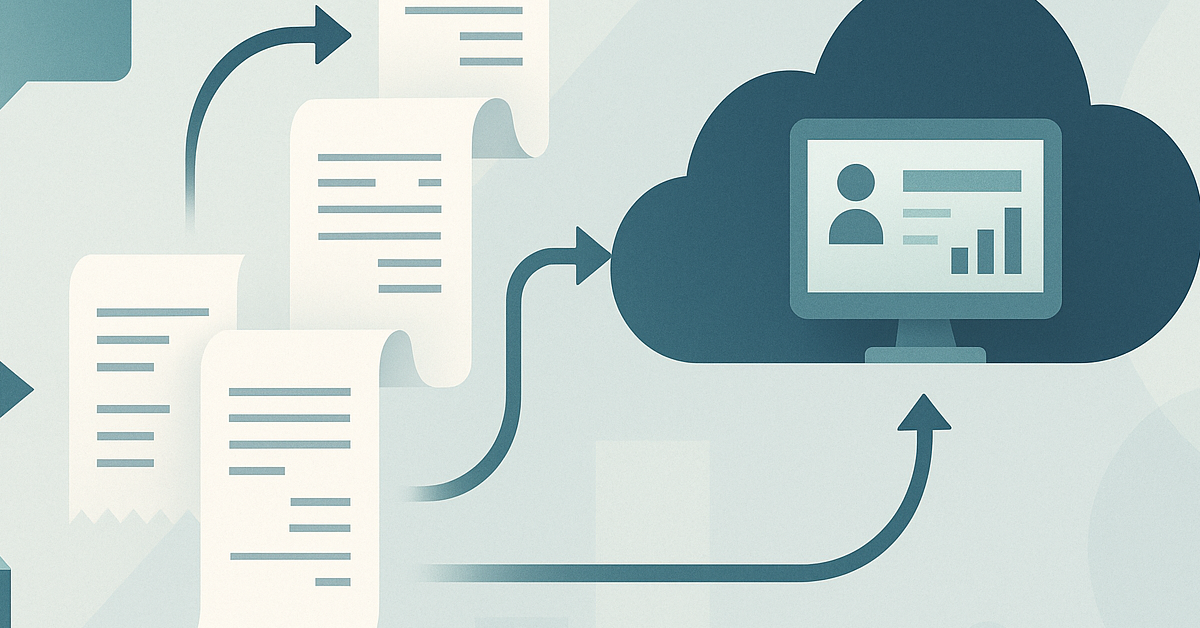
AccountsPro captures invoices and receipts from client email, WhatsApp, supplier portals and bulk uploads. It posts every item into QuickBooks, Xero or FreshBooks with attachments and transaction details in place, turning your receipt capture into a consistent, automated bookkeeping workflow.
No more fragmented message threads, loose PDFs, or bag-of-receipts syndrome. Just a steady stream of complete, current data—every client, every month—whatever bookkeeping software options or accounting software your clients prefer.
You and your juniors can now spend more time on reconciliations and reviews—not paper trails or remedial admin—so your bookkeeping talent is focused on data analysis and accurate financial records.
For UK accounting firms, that shift matters. Many of your clients already expect you to operate with the speed and responsiveness of a fully digital business. They assume their bookkeeping data capture is up to date, their financial records reflect what is happening now, and that you can surface issues in near real-time when they arise.
AccountsPro slots into that expectation without forcing clients to change their habits or choose new bookkeeping software options. By capturing what they already send—emails, attachments, message threads—and posting it into the existing accounting software you manage, we support better data quality in accounting without adding friction for clients.
The result is simple: less time hunting for paperwork, more time understanding what the numbers mean. That’s the foundation for the kind of best bookkeeping and accounting service clients talk about and recommend.
What to do this week
- Pick a client whose bookkeeping work seems to always run behind. List (honestly) the main manual choke points in your bookkeeping systems and bookkeeping tools.
- For one monthly cycle, track how long you and your team spend chasing or fixing incomplete records and repetitive tasks.
- Demo an automated capture tool like AccountsPro. See what happens when invoices and receipts are posted directly into your client’s accounting system from their actual messages or bulk uploads.
- Review the time saved and accuracy boosted. Do a before-and-after on your next management meeting, focusing on data quality in accounting and how much you’ve been able to streamline your internal workflow.
If you’re routinely held back by incomplete or late-recorded data, it’s time to take a closer look at where things are really going wrong—and how automation can free up your expertise, strengthen data quality in accounting, and support the future of bookkeeping in your firm.
At AccountsPro, we help Accountant / Client Managers at accountancy firms cut the grind, improve data reliability, and put better advice at the core of every client conversation.
Curious to see what AccountsPro could do for your portfolio? Book a no-commitment demo when you’re ready. We’ll show you, in plain numbers, how much cleaner—and easier—your practice life could be.
As you work through these steps, notice where your current bookkeeping systems rely on one or two key people simply "knowing" where documents live or how a client likes things done. Those workarounds are exactly where automation can help you build more resilient bookkeeping and accounting workflows that survive staff changes and busy seasons.
Over the coming months, the firms that thrive will be those that treat bookkeeping data capture as a strategic process, not just an operational chore. For many, that will mean moving further towards cloud-based, real-time capture and away from the manual entry mindset that has dominated traditional bookkeeping. It’s a practical way to future-proof your bookkeeping processes without losing the human judgement that sets your firm apart.
Frequently asked questions
What is bookkeeping?
Bookkeeping is the process of recording and organising a business’s financial transactions so that its financial records are accurate, complete and up to date. In practice, that means consistent bookkeeping data capture, applying double-entry principles, and keeping ledgers in your accounting software ready for review and reporting.