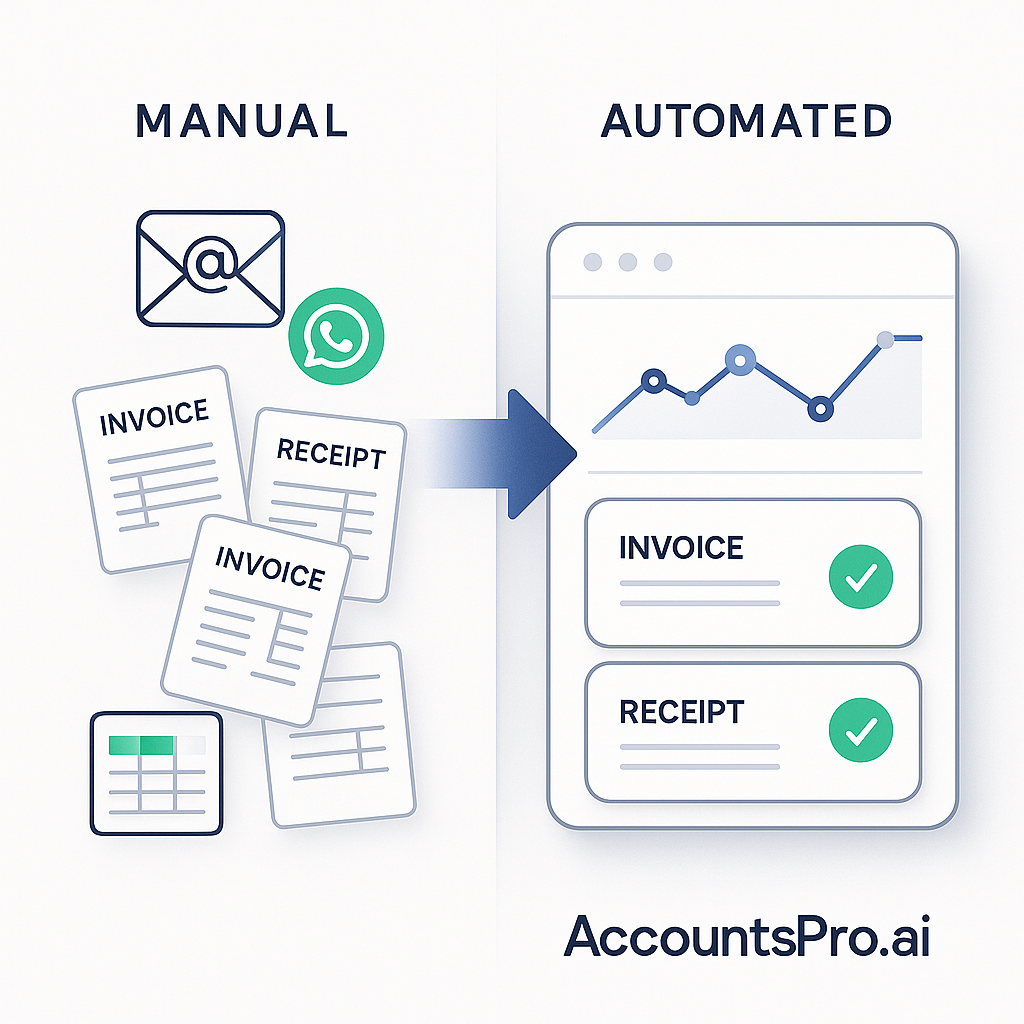
Quickbooks Accounting System vs Xero: Key Differences
Choosing between Quickbooks accounting system and Xero comes down to your business needs and automation goals. Both platforms automate bookkeeping but differ in features and workflows.
Quickbooks Accounting System
- Strong invoice automation for UK VAT compliance
- Robust bank feed integration, reducing manual data entry by up to 70%
- Automated VAT reporting aligned with HMRC Making Tax Digital requirements
- Suitable for SMEs with complex invoicing and expense tracking needs
Xero Accounting System
- User-friendly interface with simple automated bank reconciliations
- Collaboration-friendly, ideal for small teams and accountants
- Integrated payment services speed up invoice processing
- Cloud-based access with strong third-party app ecosystem
| Feature | Quickbooks Accounting System | Xero Accounting System |
|---|---|---|
| Invoice Processing | Advanced automation, better for high-volume invoices | Simpler, suitable for low-to-medium volume |
| Bank Reconciliation | Fast and automated, less manual input | Easy-to-use with collaboration tools |
| VAT Compliance | Comprehensive MTD-ready features | Basic MTD support, may need add-ons |
| Integrations | Strong, especially with AI-powered automation tools | Extensive app network, good for diverse workflows |
If you process 100+ invoices monthly, Quickbooks accounting system offers faster processing and more reliable error detection. For smaller volumes or collaborative finance teams, Xero might provide simpler usability and flexibility. Both reduce risk from manual entry errors and duplicate invoices common in manual workflows.
Key Takeaways
Choosing between Quickbooks accounting system and Xero accounting system depends on your business size, invoice volume, and integration needs. Both platforms fit UK SMEs well but handle automation differently.
- Quickbooks automates bank feeds, VAT submissions, and invoice processing, cutting manual entry by up to 70%. This reduces errors such as duplicate invoices or missing VAT numbers.
- Xero offers seamless integration with over 800 finance tools and strong multi-user access, ideal for growing teams and complex workflows.
- Automation in both systems speeds up invoice approvals and bookkeeping, saving finance teams hours weekly and lowering admin costs.
- For businesses processing 100+ invoices monthly, Quickbooks’ AI-powered automation streamlines workflows by matching invoices to purchase orders automatically.
- Smaller businesses or founders benefit from Xero’s simple setup and real-time collaboration features.
| Aspect | Quickbooks | Xero |
|---|---|---|
| Best For | SMEs with medium to high invoice volume | Small to medium teams, collaboration focus |
| Automation Strength | Invoice matching, VAT returns, bank feeds | Integration with finance apps, workflows |
| Compliance | HMRC-approved VAT handling | Real-time reporting, audit trails |
| Integration | Strong with payment processors | Extensive app marketplace |
What Is the Quickbooks Accounting System & How It Works
The Quickbooks accounting system is a popular choice for UK SMEs seeking a practical tool for daily financial management. It covers core functions like bookkeeping, invoicing, VAT submissions, and bank reconciliations, all tailored to HMRC requirements.
A typical workflow looks like this:
- Receive an invoice via email or upload
- Use AI-powered data extraction to capture key details (supplier, amounts, VAT)
- Sync bank transactions automatically to reconcile payments
- Generate real-time reports for cash flow and VAT returns
Compared to the Xero accounting system, Quickbooks offers a more streamlined dashboard with fewer clicks to key areas, appealing to smaller teams or founder-led finance functions. Xero, meanwhile, favours more granular controls and deeper app integrations, which suits larger businesses scaling bookkeeping complexity.
| Feature | Quickbooks | Xero |
|---|---|---|
| Ease of Use | Intuitive, minimal clicks | More detailed interface |
| Invoice Processing | Fast data extraction + bank sync | Advanced automation & approvals |
| VAT Handling | Compliant with UK VAT schemes | Supports multi-currency VAT |
| Reporting | Real-time, dashboard focused | Customisable with add-ons |
If you process 100+ invoices monthly, Quickbooks’ built-in automation can slash manual entry errors by up to 70%, saving finance teams hours weekly and reducing compliance risks. This makes it a reliable foundation for accounts payable and bookkeeping automation in SMEs.
Problems With Manual Accounting Processes in UK SMEs
Manual accounting workflows in UK SMEs often slow down finance teams and increase risk. Data entry consumes hours weekly, with a high chance of errors—duplicate invoices, missing VAT numbers, or incorrect figures—leading to costly HMRC compliance issues.
Key challenges include:
- Time-consuming input: Manually typing numbers for a dozen or more invoices daily adds up—typically 5+ hours per week.
- VAT return inaccuracies: Without real-time checks, errors in VAT reporting delay submissions and raise audit flags.
- Lack of financial clarity: Managers struggle with outdated figures, impeding fast, informed decisions.
- Scalability limits: As invoice volume grows, manual processes bottleneck business expansion.
- Team disconnects: Separate systems for sales, finance, and bookkeeping cause delays and miscommunication.
Switching to a Quickbooks accounting system or Xero accounting system integrated with automated invoice processing can cut data entry time by 60–80%. For example, a small retailer using Quickbooks reported saving 6 hours weekly and reducing invoice errors by 50% after automation, enabling more accurate VAT returns and faster month-ends.
If your business handles 100+ invoices monthly, reliance on manual methods risks compliance and growth. Upgrading to connected accounting platforms streamlines workflows and improves financial visibility—essential for scaling UK SMEs.
Use Cases: Quickbooks vs Xero — Before and After Automation
| Scenario | Before Automation | After Quickbooks Automation | After Xero Automation |
|---|---|---|---|
| Small Retailer | Manual invoice entry, paper filing | Auto-bank feeds, invoice reminders, VAT prep | Same with advanced bank reconciliation |
| Ecommerce Startup | Multiple sales channels, manual reports | Unified dashboard, app integrations | Automated multi-currency support |
| Digital Agency | Manual expense claims, disjointed tools | Mobile expense capture, streamlined invoicing | Project tracking + automated payroll |
If your business processes over 100 invoices per month, automating with a Quickbooks accounting system or Xero accounting system significantly reduces errors like duplicate invoices and missing VAT numbers. For example, a small retailer using Quickbooks saved 5 hours weekly by replacing paper filing with bank feeds and automated VAT preparation. Meanwhile, ecommerce startups benefit from Xero's multi-currency support, simplifying international sales tracking.
When choosing between Quickbooks and Xero, consider your specific workflows: Quickbooks excels at invoice reminders and VAT compliance, while Xero offers superior bank reconciliation and payroll automation. Both systems help cut admin costs and improve audit trails, enabling finance teams to focus on higher-value tasks.
Who Quickbooks and Xero Suits Best
Choosing between Quickbooks accounting system and Xero accounting system depends on your business size, invoice volume, and tech needs.
Quickbooks accounting system fits well with:
- Fast-growing SMEs needing easy scalability
- Businesses operating in both the US and UK, as Quickbooks adapts to different tax regimes
- Finance teams preferring a straightforward, user-friendly interface
Xero accounting system is better for:
- Micro to medium-sized businesses
- Agencies and ecommerce companies managing multi-currency transactions
- Teams seeking more advanced features like workflow customisation and extensive integrations
If your business processes over 100 invoices monthly, investing in automation via either platform starts to show real ROI through time saved and fewer errors.
| Criteria | Quickbooks Accounting System | Xero Accounting System |
|---|---|---|
| Business Size | SMEs, scaling fast | Micro to medium |
| Complexity | Simple, intuitive | Feature-rich, flexible |
| Multi-Currency | Limited | Strong |
| Invoice Volume Threshold | 100+ monthly (good ROI) | 100+ monthly (good ROI) |
For founders juggling bookkeeping, Quickbooks cuts setup time, while growing finance teams may benefit from Xero’s advanced reporting and automation options. Both reduce manual errors, improve VAT compliance, and speed up month-end close when paired with invoice automation workflows.
Step-By-Step: How to Implement Quickbooks Accounting System
Implementing the Quickbooks accounting system begins with a clear understanding of your existing finance workflows. List your pain points—manual entry errors, slow invoice processing, or VAT reporting challenges. This evaluation guides setup priorities.
Next, create your company profile in Quickbooks, linking bank accounts and entering VAT registration details. Accurate bank feeds and VAT setup ensure seamless reconciliation and compliance with HMRC requirements.
Import existing data—contacts, invoices, and expenses—from spreadsheets or legacy software. This step reduces manual work and avoids duplicate entries.
Enable automation for invoice processing and bank feeds. Quickbooks can read invoices, match payments, and flag missing VAT numbers, reducing errors by up to 70% and speeding processing by 50%.
Train your finance team on daily operations, including how to review auto-coded entries and generate reports. Schedule monthly VAT submissions directly via HMRC-certified channels within Quickbooks to avoid late penalties.
Finally, monitor real-time dashboards to track cash flow and identify exceptions. Regularly adjust automation rules as your business scales to maintain accuracy and efficiency.
If you process over 100 invoices monthly, automation within Quickbooks significantly cuts admin time, unlike manual workflows common in basic Xero accounting system setups.
Tools & Integrations Compatible with Quickbooks and Xero
Both the Quickbooks accounting system and Xero accounting system offer robust integrations that streamline financial workflows. Choosing the right tools depends on your business size, invoicing volume, and existing software stack.
Quickbooks native integrations include:
- Payroll management
- Receipt scanning apps
- E-commerce platforms like Shopify
- Payment gateways such as PayPal
Xero connectors cover:
- Payment processors like Stripe
- Document collection via Hubdoc
- Payroll platforms including Gusto
- Inventory management apps
Workflow automation platforms like Zapier or n8n can link these accounting systems to cloud storage (Google Drive), email, and CRMs, enabling multi-user collaboration and smoother data flows.
Consider these points when selecting tools:
- If you process 100+ invoices monthly, prioritize integrations that automate data capture and approval workflows.
- Check for UK-specific compliance features (e.g. VAT reporting, Making Tax Digital exports).
- Ensure easy data export formats for accountants and HMRC submissions.
| Feature | Quickbooks | Xero |
|---|---|---|
| Payroll Integration | Native | Via Gusto |
| Receipt Scanning | Yes | Through Hubdoc |
| Payment Gateways | PayPal, Shopify | Stripe, Shopify |
| Workflow Automation | Zapier, n8n | Zapier, n8n |
Integrations that fit your workflow reduce errors, cut manual entry time by up to 75%, and improve reporting accuracy. This lowers admin costs and builds a reliable audit trail, crucial for compliance and growth.
Why Choose AccountsPro.ai for Quickbooks Automation
AccountsPro.ai integrates seamlessly with the Quickbooks accounting system to automate UK SME bookkeeping tasks. Unlike built-in features, our AI captures invoice data with higher accuracy, reducing manual errors and saving staff valuable time.
Here’s why AccountsPro.ai stands out:
- Tailored for UK SME workflows: Supports HMRC VAT rules, deadlines, and compliance needs
- Improved data capture: AI reads invoices faster and more precisely than manual entry or standard Quickbooks tools
- Workflow streamlining: Connects sales, accounts receivable, and bookkeeping teams, cutting admin by up to 70%
- HMRC-ready VAT reports: Automated VAT returns mean less time on corrections and audits
- Proven ROI: UK agencies and SMEs report faster month-end closes and fewer errors
If you handle 100+ invoices monthly, automation with AccountsPro.ai can reduce processing time from several hours to minutes. For comparison, Xero accounting system users benefit similarly, but AccountsPro.ai is specifically tuned to leverage Quickbooks’ structure and reporting.
| Feature | Manual Process | With AccountsPro.ai + Quickbooks |
|---|---|---|
| Invoice data entry time | 2–4 hours/week | 15–30 minutes/week |
| Error rate | 5–10% | Under 1% |
| VAT compliance risk | Higher, manual mistakes | Low, automated checks |
FAQs
Quickbooks accounting system vs Xero accounting system: Key Comparisons
Choosing between Quickbooks accounting system and Xero depends on your business needs. Here’s a quick overview to help decide:
| Feature | Quickbooks Accounting System | Xero Accounting System |
|---|---|---|
| MTD Compliance | Fully HMRC-certified, seamless VAT submissions | Also MTD-compliant with secure VAT filing |
| Multi-currency Support | Available on upgraded plans and via integrations | Strong out-of-the-box multi-currency management |
| Bank Reconciliation | AI matching with auto-feed; manual review advised | Similar AI-driven reconciliation with exception handling |
| Pricing | Tiered by users/features; scales with team size | Charges per organisation plus add-ons |
| Mobile Access | Optimised app for invoicing, expenses, dashboards | Comparable mobile capabilities for on-the-go management |
| Integrations | Syncs with Microsoft 365, Google Workspace, and others | Wide integration ecosystem, including Microsoft and Google tools |
If you process over 100 invoices monthly, Quickbooks’ scalable plans and integrations might offer better automation. For businesses prioritising out-of-the-box currency handling and simpler pricing, Xero could be preferable.
Both systems support secure cloud storage with UK GDPR compliance and multi-factor authentication to safeguard your data. Transitioning from one to another requires export/import steps and workflow adjustments, so allocate time for team training and testing.
Conclusion
Choosing between Quickbooks accounting system and Xero depends on your business size, finance maturity, and integration needs. Both platforms offer robust automation that reduces manual errors, speeds up invoice processing, and streamlines VAT compliance for UK SMEs.
Consider these practical factors:
- Business volume: If you process over 100 invoices monthly, Quickbooks can handle complex workflows with strong reporting. Smaller volumes may benefit equally from Xero’s intuitive interface.
- Finance expertise: Quickbooks suits finance teams needing detailed audit trails and controls. Xero works well for founders or small teams managing straightforward bookkeeping.
- Integration needs: Check if your existing tools integrate smoothly with Quickbooks or Xero—seamless API connections improve efficiency and reduce data entry.
| Feature | Quickbooks Accounting System | Xero Accounting System |
|---|---|---|
| Invoice Processing Speed | Automated, handles bulk efficiently | User-friendly, suitable for moderate volumes |
| Error Reduction | Advanced validation and audit trails | Strong VAT compliance checks |
| Integration Options | Wide third-party app support | Easy integration with UK banking |
| Best For | Scaling businesses with complex needs | Startups and small businesses |
If you aim to automate invoice data capture and VAT return submission, start with a trial on your preferred platform. Combine it with AccountsPro.ai to unlock deeper automation—saving hours weekly and eliminating errors caused by manual entry. This approach frees finance teams to focus on analysis and strategy rather than firefighting routine tasks.